Should You Block AI Crawlers? A Decision Guide for Different Kinds of Sites
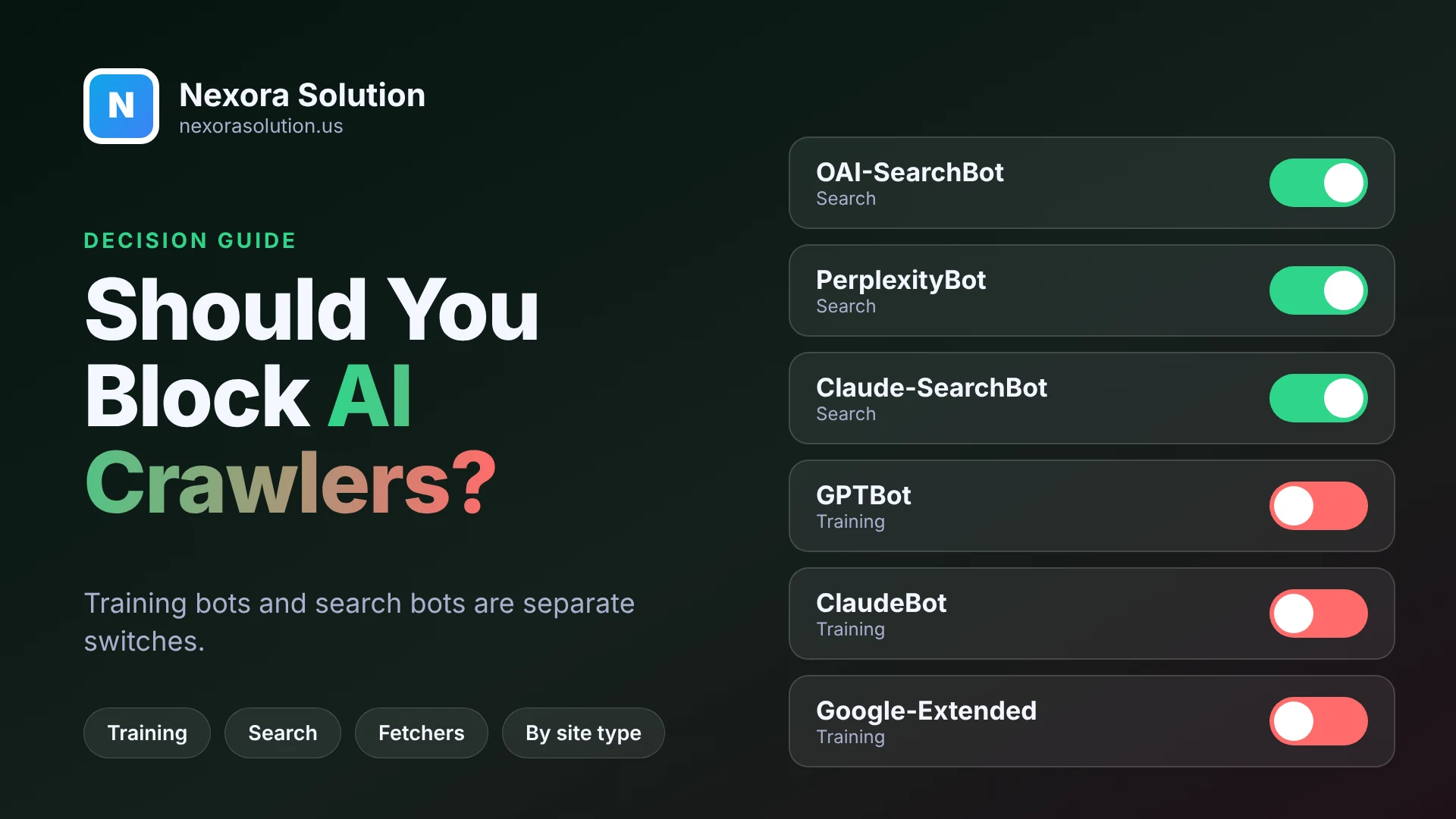
Training bots, search bots and user-triggered fetchers are different things. Here is how to decide what to allow for a business site, a publisher or a store, and what blocking does not do.
Two questions people mix together
When AI crawlers come up, one question gets asked in two different ways. Some owners say, "I do not want AI companies taking my content, so I will block them all." Others say, "I want ChatGPT to recommend my business, so I will let them all in." Both are reasonable goals. The trouble is that "AI crawlers" is not one group, and the two goals call for different settings.
The central distinction is between a bot that collects pages to train a model and a bot that fetches pages to answer a question or show a search result. If you block the first kind, you opt out of training. If you block the second kind, you drop out of the answers. Treating them as one thing means you either give up more than you meant to, or allow more than you wanted.
This guide sets out the categories, what the vendors say about each, and a way to decide by the kind of site you run. There is no universal right answer, and we will say so where the choice is genuinely yours.
The three kinds of bot
Most of the major companies now separate their crawlers by purpose.
Training crawlers collect content that may be used to build or improve models. OpenAI's GPTBot and Anthropic's ClaudeBot are examples. Google uses a token called Google-Extended as a control for the same kind of choice.
Search crawlers index pages so that an AI search product can find and cite them. OpenAI's OAI-SearchBot, Anthropic's Claude-SearchBot and PerplexityBot belong here.
User-triggered fetchers open a page because a person asked. ChatGPT-User, Claude-User and Perplexity-User are examples. They act on one person's request rather than crawling on their own.
The names differ by company, and we keep a reference at https://nexorasolution.us/geo/gptbot for OpenAI and https://nexorasolution.us/geo/claudebot for Anthropic. The main thing to remember is that these are independent switches.
What the vendors actually say
It helps to rely on documentation, not hearsay.
OpenAI's bots page describes OAI-SearchBot as the crawler that surfaces sites in ChatGPT's search features, and says a site that opts out will not appear in ChatGPT search answers, though it may still appear as a navigational link. GPTBot is described as crawling content that may be used to train its generative models, and disallowing it signals that your content should not be used for training. OpenAI says each setting is independent of the others and gives an example of allowing OAI-SearchBot while disallowing GPTBot. It also says that ChatGPT-User handles user-initiated actions, and because a user initiates them, robots.txt rules may not apply. A change to robots.txt can take about 24 hours to be reflected in its search systems.
Google's documentation says Google-Extended is a standalone token that publishers can use to manage whether content Google crawls may be used to train future Gemini models, and for grounding in Gemini Apps and in Grounding with Google Search on Vertex AI. It states that Google-Extended does not affect a site's inclusion in Google Search and is not a ranking signal. Google's separate guidance on its AI features in Search says a page needs to be indexed and eligible to show with a snippet, with no extra requirements. So blocking Google-Extended does not remove you from Search, and the way to control snippets in AI Overviews goes through Google's normal search controls, not that token.
Anthropic and Perplexity publish similar descriptions of their own bots. Check their pages for the current user-agent names, since they change.
What blocking does not do
Before deciding, be realistic about what a robots.txt line can achieve.
It is a request, not a lock. Robots.txt works because well-behaved crawlers choose to follow it. Major vendors say they do. Others may not, and a file cannot stop a determined scraper. If you need to prevent access, you need server-level rules, authentication or a firewall.
It does not undo the past. Blocking a training crawler today tells it not to collect from now on. It does not remove anything already collected.
It does not remove you from the underlying search engines. Blocking GPTBot does not hide you from Google or Bing. An AI answer can also rely on what other sites say about you.
It does not control user-triggered fetches reliably. As OpenAI notes, robots.txt rules may not apply to actions that a person starts. If someone pastes your link into a chat, the tool may fetch it.
It can block more than you mean to. A single broad "User-agent: * Disallow: /" or a firewall rule that challenges unknown bots can shut out the search crawlers along with everything else. This is the most common accident, and it happens without anyone choosing it.
A way to decide, by type of site
These are starting points, not rules.
A business that wants customers to find it
This covers local services, agencies, software companies, clinics and most small business sites. Your content is marketing: you want it to be read, quoted and recommended. Allow the search crawlers and user-triggered fetchers. The training question is a preference. Many such businesses allow everything, since there is little in a brochure site that needs protecting. Others block training bots on principle and keep search bots open. Both are coherent.
What you should not do is block the search bots by accident, for example through a security plugin's default.
A publisher whose content is the product
News sites, paid newsletters and research publishers have a different calculation. Their content is the asset, and an answer that summarises it without a visit may reduce the value of the original. Many publishers block training crawlers. Some also restrict search crawlers, which means giving up appearing in those answers. That is a business choice. The useful data point is your own referral numbers: if AI tools send you readers who convert, blocking has a cost you can measure. Our guide to measuring it is at https://nexorasolution.us/blog/track-chatgpt-ai-search-traffic-google-analytics-4.
An online store
Product and collection pages are what you want shown in shopping-style answers. Allow search crawlers. Be careful with the rest: bot protection, rate limits and managed rules on a store platform can block bots you intended to allow. Test the real response on a product page, not only the homepage. Our Shopify guide is at https://nexorasolution.us/geo/shopify-allow-ai-bots.
A site with a members area or private content
Keep private content behind a login. Robots.txt is not security. Make sure the public pages are open and the private ones need authentication.
A personal portfolio or blog
If you write for visibility, treat it like a business. If you write for yourself and prefer not to be used for training, block the training bots and leave search open. It is your call.
A simple setup that matches the most common choice
The most popular middle position is to allow search and block training. In robots.txt it looks like this: allow OAI-SearchBot, Claude-SearchBot and PerplexityBot; disallow GPTBot, ClaudeBot and Google-Extended. The reference page at https://nexorasolution.us/geo/robots-txt-ai-bots has the full syntax with examples.
Two cautions. First, user-agent names change as products evolve, so a file written once and forgotten can go stale. Second, remember the firewall. A robots.txt that allows a search bot is useless if your CDN answers that bot with a 403.
The accidental blocks that cost visibility
Most visibility lost to blocking is not a decision. It is a side effect. A few patterns come up repeatedly.
A staging file reaches production. Someone launches a redesign with the robots.txt from the test site, which disallows everything, and nobody notices because Google also takes time to react.
A security plugin ships with "block AI bots" ticked. The setting is meant to be helpful, and it lumps search bots in with training bots.
A CDN's managed rules treat any unfamiliar user agent as suspicious. The search bots are new and get challenged or answered with a 403 or 429 status.
A well-meaning developer copies a blocklist from a blog post that was written for training bots and includes the search bots as well.
In every one of these cases, the owner meant to make a choice about training and ended up making a choice about visibility. The remedy is the same: decide on purpose, write it down, and test the result with a real request.
Questions to ask before you block anything
- What do I lose if a tool cannot quote my pages? If the answer is "nothing", blocking is cheap. If the answer is "some of my customers", it is not.
- Is the content I am protecting actually valuable as training data, or is it a brochure I want people to read?
- Do I have evidence about AI referrals from my own analytics, or am I guessing?
- If I block, who will check that the rule still does what I intended in six months?
- Would a login or a paywall be a better tool than a robots.txt line for what I am protecting?
If you can answer those, the decision usually makes itself.
The firewall layer
Many sites find that the problem is not robots.txt at all. Hosting providers, security plugins and CDNs increasingly offer one-click options to block AI bots, and some are turned on by default. If you run Cloudflare, read https://nexorasolution.us/geo/cloudflare-blocking-ai-bots, because its AI bot settings and its managed robots.txt can override what you think you set.
The only reliable check is a real request made as each bot. Our free GeoLint audit at https://nexorasolution.us/tools/geo-audit does that and shows each bot as allowed, blocked by robots.txt, or blocked by the server, with the fix. It deliberately never lowers your score for blocking a training bot, since that is a legitimate choice, but it does flag when a search bot is turned away. It audits one page, uses the bots' user-agent strings, and cannot simulate firewalls that verify bots by IP address, so your server logs remain the final word.
How the traffic actually splits
It is worth knowing where the crawling effort goes. Cloudflare measured AI crawler traffic over the twelve months to mid-2025 and reported that about 80 percent of it was for model training, 18 percent for search and 2 percent for actions triggered by users. That split is one reason many sites decide on training bots separately from search bots. It also shows that blocking training bots removes most of the crawler load, which has a cost angle for small servers.
Review the decision twice a year
Whatever you choose, write it down. A line in a document saying "we allow search bots, block training bots, reviewed in October 2026" is more useful than a robots.txt file nobody remembers writing.
Then put two dates in the calendar. Check the bot names against each vendor's current page, and run the audit again after any hosting, plugin or CDN change. A rule that worked in March can be broken by a security update in June without anyone noticing.
Frequently Asked Questions
Does blocking GPTBot stop ChatGPT from finding my site?
No. OpenAI says its settings are independent: GPTBot relates to training, while OAI-SearchBot controls appearance in ChatGPT search. Blocking GPTBot alone does not remove you from search answers.
Will blocking Google-Extended hurt my Google rankings?
Google states that Google-Extended does not affect inclusion in Google Search and is not a ranking signal. It controls use of content for Gemini training and grounding.
Is it safe to allow search bots and block training bots?
It is a common choice. Allow OAI-SearchBot, Claude-SearchBot and PerplexityBot and disallow GPTBot, ClaudeBot and Google-Extended, then confirm your firewall is not blocking the allowed ones.
Does robots.txt stop AI companies using my content?
It asks compliant crawlers not to collect from now on. It does not remove past collection and cannot stop crawlers that ignore it.
Why is my site blocked when robots.txt allows the bots?
A firewall, CDN rule or security plugin may be answering the bots with a 403 or a challenge. Test the real response as each bot.
How often should I review these settings?
A couple of times a year, and after any hosting, plugin or CDN change, since bot names and defaults change.
Related Articles
- How to Check If AI Crawlers Can Read Your Website (Free GeoLint Guide) — 1 min read
- Answer-First Writing: How to Structure a Page So AI Can Quote It — 1 min read
- Schema Markup for AI Search: Which JSON-LD Types Are Worth Adding — 1 min read
- Is Your React, Vue or Angular Site Invisible to AI Crawlers? — 1 min read