Free POS Software in 2026: What "Free" Really Costs and How to Choose
Free POS software is rarely free. See the three kinds of free, how vendors earn from processing and hardware, a worked cost example and an 8-point checklist.
Is there really free POS software? The short answer
Yes, free POS software exists, but "free" almost always means no monthly software fee, not no cost. The vendor usually earns from card-processing fees, hardware, paid add-ons or a long contract. A free POS can still be the right start for a small shop, as long as you test its limits on a real trading day first.
- Free forever plans cover basic selling, with caps and paid upgrades.
- Free trials give you everything for a limited time, then you choose a plan.
- Open source or self-hosted costs nothing to license, but you run and fix it yourself.
Disclosure: Nexora Solution sells POS software, so we are not neutral. Nexora is a free trial, not a free-forever plan, and we say so below. Competitor details come from a published comparison and carry a date, because vendors change plans often. Check each vendor's own page before you decide.
What are the three kinds of free POS?
The word "free" hides three very different deals. Knowing which one you are looking at answers most of your questions before you sign up.
| Kind of free | What you get | Where the catch is | Best for |
|---|---|---|---|
| Free forever plan | Core selling, receipts, basic stock and reports | User, product or feature caps; paid add-ons; often tied to the vendor's own card processing | A very small shop testing the idea |
| Free trial | Full product for a set time | It ends, so you must budget for a plan | Owners who want to test real workflows before paying |
| Open source or self-hosted | No licence fee, full control of the code | You pay in time: setup, hosting, backups, fixes and security | Owners with a technical person on hand |
None of these is better in general. A free-forever plan can be the cheapest path for a stall that takes cash only. A trial is more honest about what the product costs once you grow. Open source rewards you only if someone on your team will maintain it.
How does free POS software make money?
A vendor that gives software away still has to pay for servers, support and developers. The money usually comes from one of four places, and each one is a cost to you.
- Card processing. You pay a percentage plus a fixed fee on every card sale. Free plans often require the vendor's own processor.
- Hardware. Card readers, terminals, printers, scanners and kitchen screens are often extra.
- Add-ons. Advanced stock, staff, loyalty, marketing, online ordering and payroll are commonly paid modules.
- Contracts. Some free offers are tied to a multi-year agreement.
A 2026 comparison by FitSmallBusiness shows the pattern clearly. These details were read on 9 November 2026, so confirm current terms on each vendor's page:
| Free option | What the free plan covers | The catch, as reported |
|---|---|---|
| Square | Unlimited users and locations, payments, basic inventory | Must use Square payments; advanced inventory, loyalty, marketing and payroll cost extra; in-person card rate reported as 2.6% + 15 cents |
| Toast (Starter Kit) | Basic restaurant POS, support, built-in payments | Reported two-year agreement; free-plan processing reported at 3.09% + 15 cents; online ordering, delivery and loyalty are paid add-ons |
| eHopper | POS, inventory, basic reports | Free plan tied to its built-in processing; advanced free features need roughly $5,000 a month in card sales |
| Loyverse | Basic POS, loyalty, multi-location, kitchen display | Advanced inventory, staff management and integrations are paid add-ons |
Helcim, which makes money from processing itself, makes the same point in its guide to free POS systems: the software may be free, but processing markups, hardware, add-on charges and long contracts are where the cost sits. Read it with the usual caution, since it is a vendor writing about its own market.
How do you work out what a "free" POS really costs?
Add up everything you will pay in a month, not just the software line. Use this formula:
Monthly cost = software fee + (card sales × percentage rate) + (card transactions × fixed fee) + (hardware ÷ 24 months) + paid add-ons
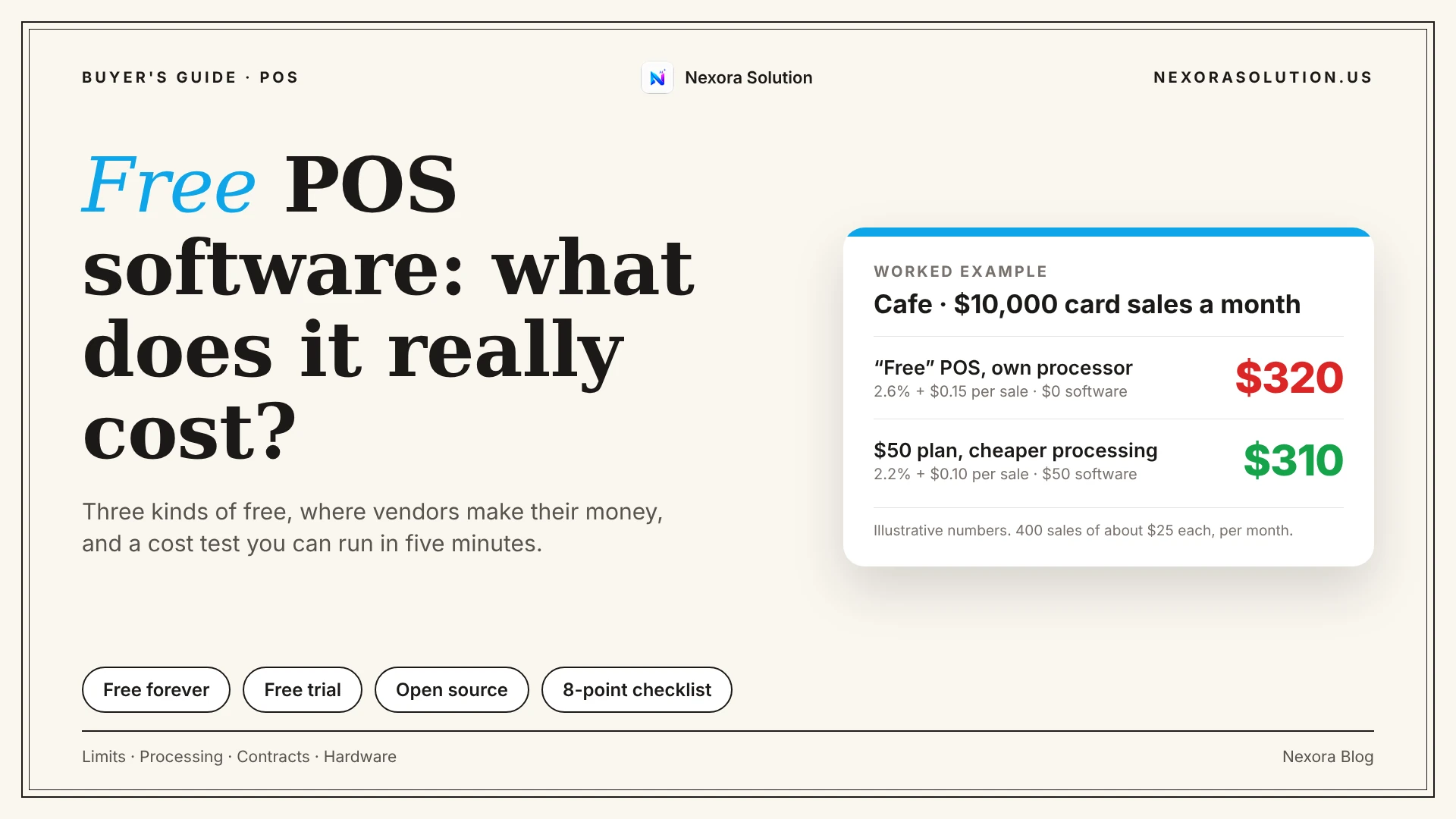
Here is a worked example. The numbers are assumptions for illustration, not a quote from any vendor. A cafe takes $10,000 a month by card, in 400 sales of about $25 each.
| Option | Software fee | Card percentage | Fixed fees | Monthly total |
|---|---|---|---|---|
| "Free" POS tied to its own processor at 2.6% + $0.15 | $0 | $260 | 400 × $0.15 = $60 | $320 |
| Paid POS at $50 a month, with processing at 2.2% + $0.10 | $50 | $220 | 400 × $0.10 = $40 | $310 |
In this example the "free" option costs $10 a month more, and about $120 more across a year, because the processing rate is higher. At $5,000 of monthly card sales the free option is actually cheaper ($160 against $180), and the two cost the same at about $8,300 a month. Above that, the lower processing rate wins. So the software fee matters most when sales are small, and the processing rate matters most as card volume grows.
Two cautions keep this honest. First, every POS with card payments carries processing fees. The question is whether the free plan locks you into a higher rate or one processor. Second, if most of your sales are cash, processing barely matters, and a truly free plan can be good value. Work the numbers for your own sales mix.
Does free POS work in cash-heavy markets like Pakistan?
It depends on how the free plan earns its money. Many well-known free plans are funded by card processing, and some are available only in certain countries, so check whether the vendor serves your country at all before you spend an afternoon setting it up.
In markets where most sales are cash, bank transfer or mobile wallets, a plan funded by card fees has little to earn from you. That can leave you with fewer features, slower support or a plan that never becomes available. Sellers in these markets often do better with POS software that charges a plain subscription and treats payment method as a field on the bill.
Four checks matter more in these markets than anywhere else:
- Does it work through power cuts and weak internet, then sync later?
- Can you set your own currency, tax label and registration number on the receipt?
- Does it print on cheap 58mm thermal receipt printers?
- Can you record cash, card, bank and wallet payments separately for the closing report?
What should you check before choosing a free POS?
Run through these eight points before you enter a single product. Most take minutes and can save you months of rework.
- Limits. Are there caps on users, products, locations or transactions, and what does the first upgrade cost?
- Processing. Are you forced to use one card processor, and what is the full rate, including the fixed fee?
- Contract. Is there a minimum term, an early-exit fee or an automatic renewal?
- Hardware. Does it work with the printer, scanner and cash drawer you already own?
- Offline mode. Can you keep billing when the internet drops, and does it sync afterwards?
- Data. Can you export your products, customers and sales as a file if you leave?
- Support. Is help free, in your language and in your time zone?
- The busy-day test. Run a real rush of sales, a refund, a discount and a closing report before you commit.
If you want a longer list to take shopping, use our POS software buying checklist. For plain-language definitions, see what POS software is. For how paid plans are priced in Pakistan, see POS software cost in Pakistan.
What free tools can you use while you decide?
You do not need a full POS to print a clean receipt or send a bill. Nexora has free browser tools with no signup: a thermal receipt generator for 58mm and 80mm paper and an invoice generator for quotes and invoices. They are useful for a market stall, a pop-up shop or a trial run. They are not a POS: they do not track stock, staff or daily sales.
Which type of POS fits your business?
- Small shop or stall, mostly cash, few products: a free-forever plan or a free trial of a simple retail POS is usually enough. See Retail POS.
- Cafe or coffee shop: speed at the counter and a fast printed bill matter most. Table management should be optional. See Restaurant POS.
- Restaurant with a kitchen: look for kitchen tickets or a kitchen screen, tables and offline billing. Check which of those sit behind paid add-ons.
- Growing business with several users: compare the plan where you will be in a year, not the free plan you start on.
Where does Nexora fit?
Nexora is not a free-forever POS. Every plan starts with a 1-month free trial and no credit card, so you can add your menu or products, bill real orders and print receipts before you pay. After the trial you choose a plan: Basic covers one business module and up to 2 users, and Standard is for larger teams. Yearly billing is 20% cheaper than monthly. Current plan details are on the pricing page.
Orders keep saving on the counter during an internet outage and sync when the connection returns, and bills print on 58mm thermal printers. If a free-forever plan fits your shop better, use it, and come back when you outgrow it.
Frequently Asked Questions
Is free POS software really free?
Usually only the software is free. Vendors often earn from card-processing fees, hardware, paid add-ons or contracts. Work out your total monthly cost with the formula in this guide before you commit.
Can a small shop run on a free POS system?
Often yes, if you have few products and users and take mostly cash. Test the limits first: product caps, user caps, receipt printing and the daily closing report.
What is the catch with a free POS app?
The common catches are forced use of the vendor's card processor, paid upgrades for stock and staff tools, extra hardware cost and, for some offers, a long contract.
Is there a free POS for restaurants?
Some vendors offer a free restaurant plan, but kitchen tools, online ordering and loyalty are often paid add-ons, and some free offers need a multi-year agreement. Check each item against your needs.
Is a free trial better than a free-forever plan?
Neither is better in general. A trial shows the full product and its real price, while a free-forever plan is cheapest for a very small, mostly cash business. Choose by how your sales are paid and how fast you expect to grow.
What happens to my data when a free POS or trial ends?
It depends on the vendor, so ask before you enter your products and customers. Look for an export to a file, and keep a backup of your product list and sales reports.
Related Articles
- Invoice vs Receipt vs Bill vs Quote: What Is the Difference? — 1 min read
- GST Invoice Format in India: Mandatory Fields and When E-Invoicing Applies — 1 min read
- Invoice vs Receipt vs Delivery Note vs Credit Note: Which Do You Need? — 1 min read
- Invoice Payment Terms: Net 15, Net 30, Due on Receipt and Late Fees — 1 min read