Retail POS: Till Sessions, Barcode Billing, Daily Closing
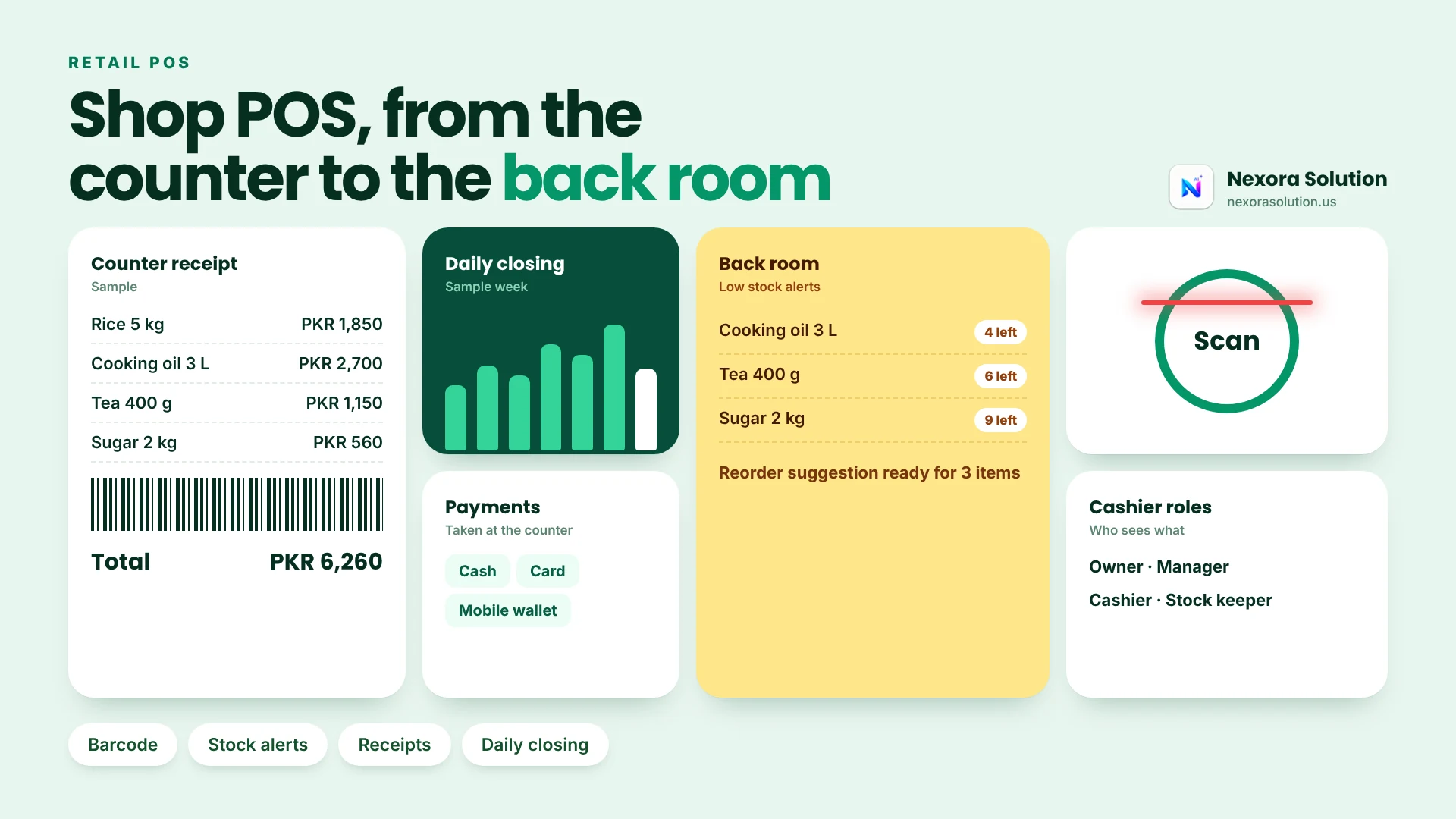
Most shop cash gaps come from a missing till session and an unread closing report. Here is how to judge a retail POS and what Nexora Retail POS covers.
Why the shop cash never matches the sales report
Every shop owner knows the evening. The cashier counts the drawer, the software says one number, the drawer holds another, and the difference is small enough to ignore and large enough to worry about. Over a month, those small differences add up to a salary.
Most of the time nobody is stealing. The mismatch comes from the structure of the day: nobody recorded how much cash was in the drawer at the start, returns were handled outside the system, a discount was given by shouting across the counter, or the stock count and the sales count drifted apart. Retail POS software exists to remove those gaps, and the good ones do it with two ideas: a till session and a daily closing.
This article is about those two ideas, plus barcode billing and stock control, and how to judge a retail POS on them. We build Nexora Retail POS, so we are not neutral. What we say about two Pakistani products comes from their own pages, read in October 2026, and we mark where those pages were silent. Where we cannot verify a competitor claim, we leave it out.
Till session: the idea that fixes most cash mismatches
A till session means that the counter is opened with a starting cash count and closed with an ending count. Everything sold between those two moments belongs to that session, and at the end the system can show opening cash, sales, discounts, dues and what the drawer should hold.
It sounds small, but it changes behaviour. The cashier knows the opening figure was recorded. The owner can see the closing figure without waiting for anyone's memory. If two cashiers share a till across shifts, each shift is its own session, so the blame for a gap lands on a shift, not on a week.
In Nexora Retail POS you open a till session with a starting cash count, search or scan items, apply a promo code or tax and print the receipt. At the end of the day the closing report reconciles opening cash, closing cash, gross sales, discounts and dues. If a product you are considering has no equivalent, you are buying a billing screen, not cash control.
What the Pakistani products say about themselves
We read two well-known Pakistani products. Both are broader than a pure retail POS, which is useful to know before you compare.
Oscar POS (oscar.pk) describes real-time stock tracking, stock across multiple locations and warehouses, fast billing and invoicing with several payment options, an online store offering and a dashboard. The page shows no prices and offers a free demo. It does not state hardware details or whether the system works offline.
HysabOne describes itself as cloud accounting and inventory software for Pakistani SMEs, with invoicing, stock, POS and financial reports, an Urdu interface, a mobile app, WhatsApp invoices, multi-user access, tax calculation, FBR invoice posting and payroll. It shows no prices on that page and offers a 14-day free trial. On offline use the page contradicts itself: the app section says it works offline and the FAQ says an internet connection is required. That is worth asking about directly.
Notice what these pages do and do not say. Both talk about stock, billing and reporting. Neither page, as we read it, spells out till sessions, barcode scanning or receipt printer support. That does not mean the products lack them, only that you will have to ask. A product page is a brochure. The decision comes from a demo on your own shop's day.
Barcode billing, returns and the walk-in customer
Three things decide whether a POS is pleasant at the counter.
Finding the product. In Nexora Retail POS you can find any product by name, SKU or barcode, add it to the cart and check out without leaving the billing screen. Products carry categories, prices and SKUs or barcodes, and your suppliers sit in the same workspace.
Returns. A shop that cannot process a return in the system will process it in the drawer, and the stock count will be wrong from that day. Nexora supports returns, refunds and sales adjustments with inventory sync.
Customers. Every sale starts as a walk-in. You can search a saved customer or add one with a name and phone mid-sale, and only a saved customer can carry a balance due. That rule protects you from the classic notebook habit of writing a name and an amount on a slip and then losing the slip. Customer profiles keep loyalty details and purchase history.
Discounts. Active promo codes can be applied at checkout, and discount rules can be set as a percentage or a fixed amount, with tax defaults alongside them so totals stay consistent.
Receipts can be printed, emailed and saved.
Stock control: what a movement log is for
Stock numbers decay. A product is counted on Monday, sold on Tuesday, received on Wednesday, damaged on Thursday, and by Friday the number on the shelf and the number on the screen are different. The only cure is that every change leaves a record.
In Nexora, every sale, purchase and stock adjustment updates one live stock count. Products are flagged when stock needs attention, you can raise purchase orders and returns, and every stock movement is logged and filterable by type. The filter is the useful part. When the count is wrong, you filter by adjustments first, because that is where honest errors and dishonest ones both hide.
A good habit is a short weekly cycle count. Pick one category, count it, and compare it with the screen. If the gap is small, the system is working. If it is large, open the movement log for that category and read it like a diary.
Nexora Retail POS also supports reorder alerts, so a product that is about to run out shows up before the shelf is empty. Treat those alerts as suggestions, not orders. You know your supplier lead times better than any rule does.
The daily closing report, line by line
The report that matters most in a shop is the one you read at the end of the day. In Nexora it shows a payment-method breakdown across cash, card and mobile wallet, plus items sold. You can print it as a thermal receipt or export it as CSV.
Read it in this order. First, the cash line: does the system's expected cash match the drawer? Second, the discounts line: is the total higher than usual? A sudden rise usually means a cashier is being generous or a promo code leaked. Third, the dues line: how much of today's sales was not paid, and to whom? Fourth, the items sold: compare the top five with what actually left the shelves.
Four minutes of reading each evening catches problems while they are still small. The CSV export lets your accountant take the numbers without retyping anything.
Where Nexora Retail POS stops
The Help Center does not describe FBR invoice posting for Retail POS, and the product does not connect to a government invoicing system, unlike the HysabOne page we read, which lists FBR invoice posting. If you are required to post invoices to FBR, check that with any vendor first. Nexora also does not replace accounting software, and an online store is a separate matter, which Oscar's page lists as a feature of theirs.
Plans: Basic is PKR 2,000 a month for one business module and up to two team members, and Standard is PKR 5,999 a month for one module and up to five users. A shop with two cashiers and a manager will want Standard. Enterprise is custom. These figures were read from our plans file in October 2026 and can change.
There is a one-month free trial of all modules and no card is needed, which is enough time to run a full month-end closing.
Setting up a shop so the software can help
A POS cannot fix a shop that is not ready for it. Some groundwork takes a weekend and pays back for years.
Decide how products are named. If the same item is entered as Rice 5kg, 5 kg rice and Rice (5KG), searching becomes a guessing game and stock splits across three records. Pick a pattern, write it on a sheet and stick to it.
Use the manufacturer's barcode where it exists, and print your own where it does not. Loose or locally packed goods need your own labels. Keep the SKU short and meaningful so a cashier can type it when a barcode will not scan.
Group products into a few categories you will really report on. Twenty categories feel thorough and produce reports nobody reads. Eight to twelve is usually enough for a general store.
Count before you load. Enter opening stock from a real count, not from memory. Everything after that depends on the starting number being honest.
Give each person a role. Cashiers sell, managers adjust stock and approve discounts, the owner sees the reports. Nexora gives owners, managers and cashiers only the screens they need. This is not about distrust. It is about making the record trustworthy, which protects honest staff too.
A seven-day test in your own shop
- Day one: products. Enter your top 50 products with prices and barcodes. Note how long it takes and whether your existing barcodes scan.
- Day two: a normal sale. Open a till session with the real opening cash. Sell a basket, apply a discount, take a card payment and print the receipt.
- Day three: a return. Process one in the system and check the stock count.
- Day four: a customer on credit. Add a customer by name and phone and let a balance carry.
- Day five: a purchase. Record a supplier delivery and see the stock rise.
- Day six: count. Count one category on the shelf against the screen.
- Day seven: closing. Close the till, read the report line by line and export it.
If your own drawer matches the closing report on day seven, the system has earned its price. If it does not, the movement log and the discounts line will tell you where to look.
Who should and should not pick Nexora Retail POS
It suits grocery stores, clothing shops, boutiques and general retail stores that want barcode billing, till sessions, stock control and daily closing reports on one login, and that value starting free. It fits shops that already use another Nexora module, because the trial opens all of them.
It is a weaker fit if you need FBR invoice posting today, an integrated online store or multi-warehouse operations beyond what our product pages describe. Choose the product that lists those, and ask it the offline question.
Start the free month at https://nexorasolution.us/retail-pos or read the Help Center guide at https://nexorasolution.us/help-center/retail-pos. Setup is free, and you can message us on WhatsApp to help load your first products.
Frequently Asked Questions
What is a till session in a POS?
A till session opens the counter with a starting cash count and closes it with an ending count. Everything sold in between belongs to that session, so the closing report can reconcile opening cash, sales, discounts, dues and closing cash.
Why does my shop cash never match the POS report?
Common causes are no recorded opening cash, returns handled outside the system, informal discounts and stock changes without a record. A till session and a daily closing report address most of them.
Can Nexora Retail POS scan barcodes?
Yes. You can find any product by name, SKU or barcode, add it to the cart and check out without leaving the billing screen.
Does Nexora Retail POS handle returns?
Yes. It supports returns, refunds and sales adjustments with inventory sync.
Can customers buy on credit?
Every sale starts as a walk-in. Only a saved customer, added by name and phone, can carry a balance due.
Does Nexora Retail POS post invoices to FBR?
No. Nexora does not connect to a government invoicing system, so check your obligations before choosing any POS.
What does the daily closing report include?
A payment-method breakdown across cash, card and mobile wallet, plus items sold. You can print it as a thermal receipt or export it as CSV.
Related Articles
- How to Set Up Barcode Billing in a Retail Shop in Pakistan: A Step-by-Step Guide — 1 min read
- Retail POS and Inventory Control: A Store Owner Guide — 1 min read
- Invoice Payment Terms: Net 15, Net 30, Due on Receipt and Late Fees — 1 min read
- Is Your React, Vue or Angular Site Invisible to AI Crawlers? — 1 min read