GeoLint Fix Service Upgrades: Site Crawl, Speed Test and PDF Report
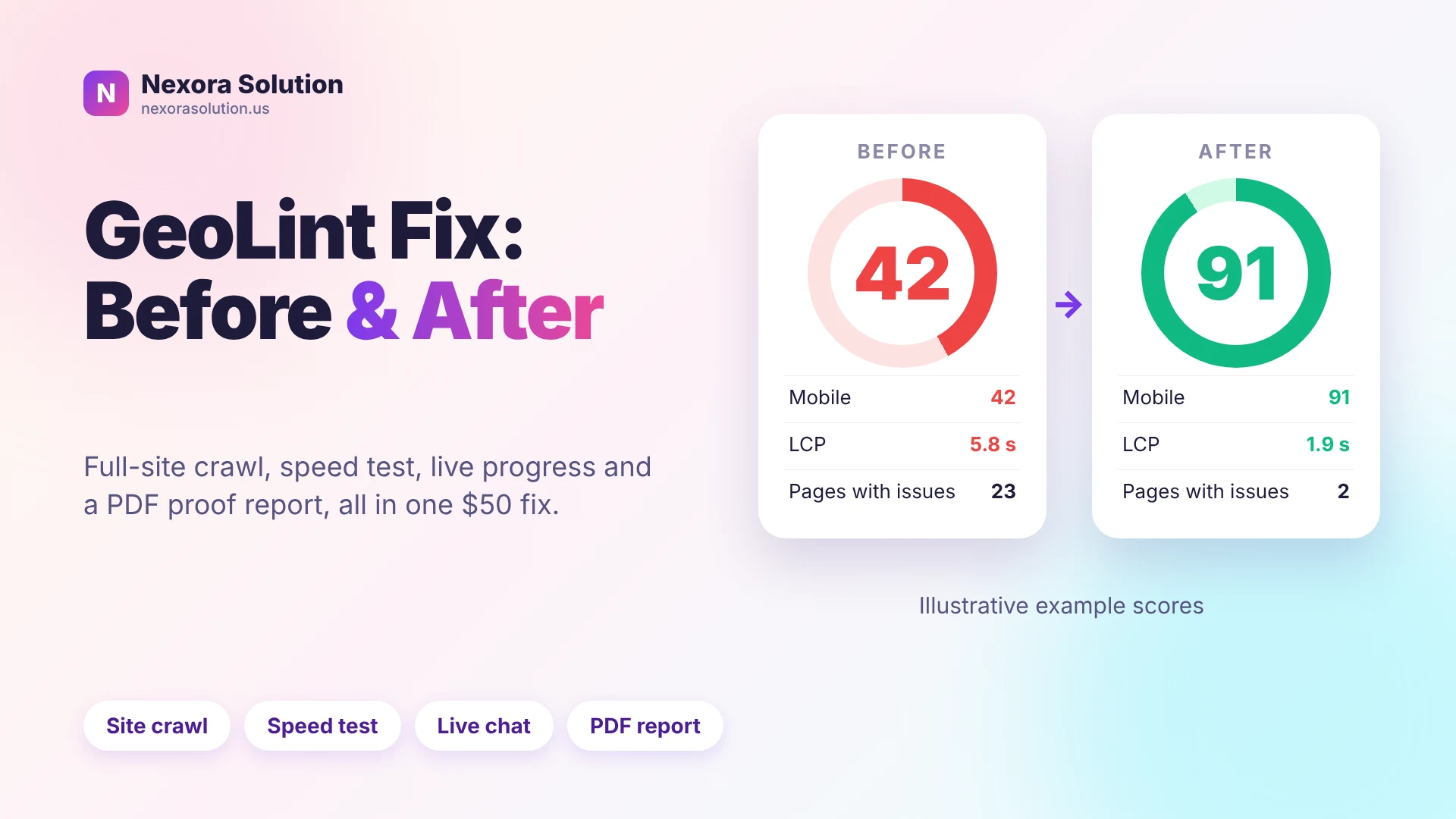
Whole-site crawl, before and after speed tests, an access guide, client chat and a PDF report. Everything new in GeoLint's $50 AI search fix, in plain language.
What we changed in GeoLint, in one list
GeoLint started as a free audit that tells you whether AI assistants like ChatGPT, Claude and Perplexity can read your site. Then it became a fix service: you order, we repair your site, and you can see the result. Over the last weeks we kept adding the parts that people kept asking for, so this post puts them all in one place.
If you are searching for AI search optimization services or a generative engine optimization service that shows its work, this is the plain version of what you get, what it costs and where it stops. Every feature below is live now.
The short list: a crawl of your whole website, a before and after speed test for phone and desktop, a step-by-step access guide, a client chat with read receipts, an animated order timeline, a completion screen with a PDF report, live status updates, an optional $500 Full SEO upgrade, and a free speed test inside the free audit.
The audit now crawls your whole website, not one page
Most free tools look at one URL, usually your home page. That is quick, but AI answers are built from many pages, and a clean home page can hide a broken pricing page or a blog full of missing titles.
In the $50 fix, GeoLint now crawls the whole site before any change is made. It records, page by page, the things that decide whether an AI crawler can use the page: status code, title, description, headings, schema markup, and whether the answer is in the server HTML or only appears after JavaScript runs.
You get the result as a results section on your order page and as a section inside the PDF report. It lists what was found, how many pages are affected and what we fixed. We cap the crawl at a sensible page limit so one huge site does not run for hours, and the report says plainly when the cap was reached.
Speed test for phone and desktop, before and after
Speed matters for people and for crawlers. A page that takes eight seconds on a phone loses visitors, and slow, heavy pages are harder to fetch reliably. If you have searched for how to test your website speed, you have seen how many tools give a number with no context.
GeoLint runs Google PageSpeed Insights on your site for mobile and desktop. It reports the performance score and the Core Web Vitals, which are the measurements Google uses: Largest Contentful Paint (how fast the main content shows), Cumulative Layout Shift (how much the page jumps around) and Total Blocking Time (how long the page ignores taps).
The useful part is the comparison. We test before we touch anything, test again after the fix, and show both side by side with the change in each number. The same before and after appears on your order page, in the admin Control Centre and in the PDF. Speed tests vary a little from run to run because they depend on Google's servers and network conditions, so treat a gap of a few points as noise and a gap of twenty points as real.
A note on honesty: GeoLint fixes what a fix service can reach, such as image sizes, render-blocking scripts, caching headers and heavy markup. It cannot make a slow hosting plan fast. When the cause is the server, the report says so instead of claiming a win.
A speed test inside the free audit too
You do not need to order anything to see your speed. When you run the free audit on a URL, the report page now includes a speed card with a Google icon near the top, followed by a full speed section further down.
If you have tested the same site before in the same browser, the card shows the change since the last test. That makes it easy to check whether something you changed actually helped. The previous result is stored only in your browser, not in an account, and the PDF version of the free report includes the speed section as well.
Compared with a plain website audit tool that only lists problems, the free audit gives you three things in one run: AI readiness, SEO basics and speed. The free audit is rate limited and cached for a short time, so repeated clicks do not hammer Google's service.
An access guide, because most people do not know how to share access
The first stumbling block in any fix service is access. Many owners know they have a WordPress, Wix or Shopify site but not how to give someone safe access to it. Sending a password in a message is the worst option.
On the order form there is now a Guide button beside the access step. It opens a page with a short guide for each platform, with the platform logo, covering how to add a collaborator or staff account with limited permissions instead of sharing your own login. There is a back button that returns you to your order exactly where you were.
The rule behind it is simple: create a separate user for us, give only the permissions needed, and remove it when the work is done. You stay in control of the access you give.
Client chat, read receipts and an order timeline you can see
Fix work goes wrong when the client is left guessing. So the order page now has a chat with the person doing the work. You can send messages, and you can see when we have read them, the same way you expect from a messaging app.
Above the chat there is an animated order timeline: order received, access checked, crawl, fixes, re-test, delivered. The page updates itself while you watch, so you do not need to refresh or email to ask where things stand. The account you are logged in with is shown at the top of the orders pages with a log out button, so it is always clear which account you are looking at.
When the order is done: a completion screen and a PDF report
When we finish, the order page shows a short completion screen and a PDF report you can download. The report has the score before and after, the pages we crawled, the speed comparison, and a list of what was changed.
The point of the report is proof you can keep. You can forward it to a developer, a manager or a client without explaining what happened. If something could not be fixed, it is listed with the reason.
The $500 Full SEO option, only when it makes sense
The $50 fix is built around AI readiness and the technical basics. It is not a full SEO project. If the results show your site needs far more, such as content, internal links or a broader technical clean-up, a floating option on your results page lets you order the $500 Full SEO service for the same site.
We designed it to appear only after you have seen what the $50 fix found, so you decide with evidence, not a sales page. If the $50 result is enough, you do nothing.
What the market usually offers vs what Nexora offers
We have not reviewed individual competitors for this post and we are not going to put numbers on their products. What we can do is describe the typical gaps we kept seeing when we looked for something to recommend, and say what we did about each one.
Typical audit tools give a score and a list, and stop there. Typical agencies sell generative engine optimization as a monthly retainer, often with a vague scope and reports that are hard to check. Typical speed tools test one page once, with no memory of the last test.
Nexora's approach is narrower and more concrete. A fixed price for a defined job. A whole-site crawl instead of one page. A speed test before and after. A chat and a live timeline instead of silence. A report you can keep. And if your site needs more than the $50 job, we say so and show you why.
This will not be the right fit for everyone. If you want ongoing content production or link building, that is a different service, and the $500 option or a conversation with us is the better route.
Who this is for, and how to start
This fits small business owners, store owners and agencies who want their site readable by AI search and fast on a phone, without learning the technical details. It is also useful if you just want an honest second opinion before hiring someone.
The best first step costs nothing: run the free audit on your site, look at the AI readiness score and the speed card, and decide from there. If you want the problems fixed, the order form walks you through the details, including the access guide.
Related reading: our guide to reading free AI search audit scores explains how to judge any audit, and the posts on JSON-LD schema and JavaScript sites explain two of the most common fixes.
Frequently Asked Questions
What is GeoLint?
GeoLint is Nexora's AI search audit and fix service. The free audit checks whether AI assistants can read your site, and the $50 fix repairs the issues it finds.
Does the fix crawl my whole website?
Yes. The $50 fix crawls your site page by page up to a page limit, and the report states if the limit was reached.
How does the speed test work?
It uses Google PageSpeed Insights for mobile and desktop, reports the score and Core Web Vitals, and compares the result before and after the fix.
Will the speed score always improve?
Not always. We fix what is reachable, such as images, scripts and caching. If the cause is slow hosting, the report says so.
Is the speed test in the free audit?
Yes. The free audit report includes a speed card and a full speed section, and compares with your last test in the same browser.
How do I give access safely?
Use the Guide button on the order form. It shows how to add a limited collaborator account on each platform instead of sharing your password.
What is the $500 Full SEO option?
A larger service for sites that need more than the $50 fix. It is offered after you see your results, and it is optional.
Is this the same as hiring a generative engine optimization agency?
No. It is a fixed-price technical fix with a report, not an ongoing retainer for content or link building.
Related Articles
- Free AI Search Audits Compared: How to Read the Score — 1 min read
- AEO and GEO Tools in 2026: Which Type Do You Actually Need? — 1 min read
- How to Check If AI Crawlers Can Read Your Website (Free GeoLint Guide) — 1 min read
- AI-Powered POS Software: The Modern, Futuristic Way to Run Your Business in Pakistan — 1 min read