Car Rental Software: Deposits, Refunds and Customer Dues
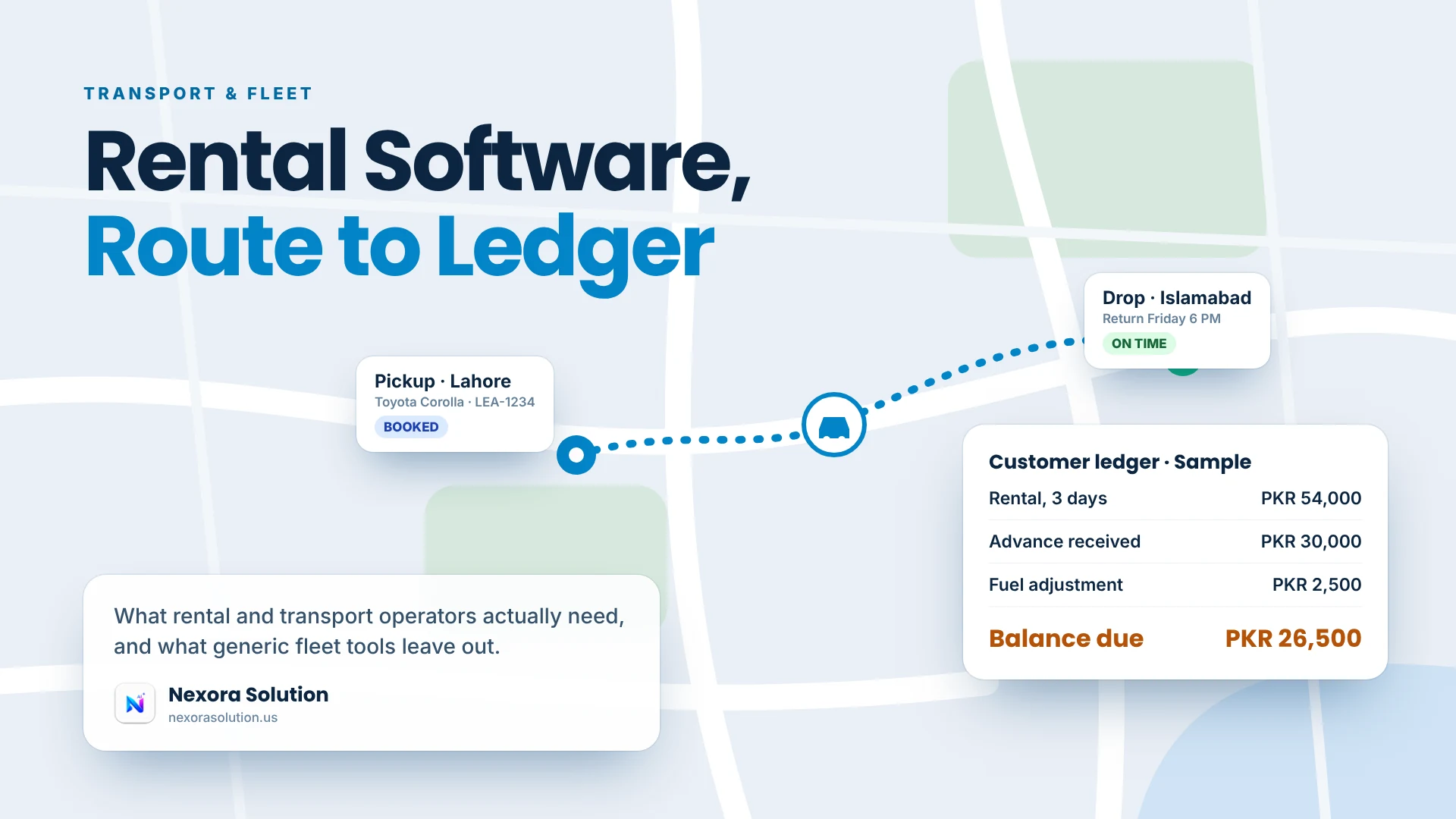
Rental offices lose money in the gaps between booking and settlement. Here are the five records to keep and what Nexora Fleet & Rental covers.
The money problem in a rent-a-car office
Most rent-a-car offices do not lose money on the cars. They lose it in the gaps between the booking and the final settlement. A customer pays an advance on Monday, hands over a security deposit, brings the car back a day late, argues about fuel, and leaves with a verbal promise to settle the rest next week. Three weeks later nobody can say whether the deposit was returned, whether the late day was charged, or what that customer owes in total.
This article is about the records that close those gaps: bookings, deposits, refunds, fines and a ledger per customer. We build Nexora Fleet & Rental, so we are not neutral, and we will mark clearly where our product stops. What we say about the wider market comes from a software directory page we read in October 2026, and from our own product documentation.
If you run a rent-a-car office, a bike rental, a fleet that rents out vehicles with drivers or a transport counter, the same questions apply.
What free and low-cost rental software usually includes
The directory page we read lists free car rental software options, many with a free version or free trial. The listings share a common feature set: billing and invoicing, booking and reservation management, calendars, customer databases, fines management, fleet management, payment processing and vehicle tracking. A few add extras such as long-term rental contracts, digital contracts, WhatsApp automation, damage identification or online booking.
The page does not spell out what each free version restricts, and one listing was marked as usable only in the USA. So the honest reading is this: the category covers the basics well, and the differences are in the details you cannot see from a listing.
Those details are the ones that matter in a small Pakistani rental office. Does the system understand an advance and a security deposit as two different things? Can it record a refund against a booking with its method and date? Does a cancellation fine get tracked and marked as retained? Does each customer have a running balance across all their bookings, not just one? You only find out by testing, so we will give you a test below.
Five records every rental business should keep
Whatever software you use, or if you still use a notebook, these five records are the difference between running a rental business and guessing at one.
1. The vehicle record. Registration number, transmission, fuel type, whether the vehicle goes out with a driver, and an availability status. If the status is not current, double-bookings follow.
2. The booking. Customer, vehicle, dates, daily rate and driver on one record, with the total, the advance paid and the security deposit. One screen, not three notebooks.
3. The deposit and its fate. A deposit is not income. It is the customer's money held for a while. Record when it was taken, and later whether it was returned in full, reduced for a reason, or kept. The refund needs a status, an amount, a method and a date, because that is what you will be asked for in a dispute.
4. The cancellation rule. Customers cancel. Some owners keep a fine and some do not. Whichever rule you apply, the fine should be written down as retained, not forgotten inside a cash drawer.
5. The customer ledger. The most useful report in a rental business is a list of customers who currently owe you money, with the amount. It sounds obvious and almost nobody has it. If you do nothing else this month, build that list.
What Nexora Fleet & Rental does
This is what the product page and Help Center document, and nothing beyond it.
Vehicles. A record for each vehicle with registration, transmission and fuel type, whether it comes with a driver, and an availability status you can filter across the fleet. Removing a vehicle needs an explicit confirmation, so a tap cannot delete a car with open bookings by accident.
Bookings. Customer, vehicle, dates, rate and driver on one record, with the total, advance paid and security deposit. Refund status, amount, method and date are recorded against the booking, and cancellation fines are tracked and marked as retained when applied.
Customer ledger. Every rental customer has a record with full booking history and the outstanding dues across all their bookings. A dedicated view lists every customer who currently owes money.
Payments and dues. A fleet-wide view compares what was collected with what was billed today, tracks dues across all customers, ties payment status to booking status and accounts for cancellations and refunds.
Reports and cloud sync. Rental reports cover bookings, revenue, dues, utilisation and customer summaries. The counter, the office and mobile access stay aligned through cloud sync.
Where it stops, plainly
Nexora Fleet & Rental manages vehicles, bookings, customers, payments and dues. It does not include live GPS tracking. If you need to see a vehicle on a map, you will need a separate tracker. We would rather say that here than have you find out after paying.
We also have not documented online booking by customers or digital contract signing for this module, so we do not claim them. If your business depends on a public booking page, check with us before deciding.
On price: Basic is PKR 2,000 a month for one business module and up to two team members, and Standard is PKR 5,999 a month with one module and up to five users. Every plan starts with a one-month free trial of all modules and no card. These figures were read from our plans file in October 2026, so confirm them on the pricing page.
A ten-minute test with your own messiest booking
Do not test a rental system with a clean example. Use your worst booking from last month, the one with a late return and a deposit dispute, and run it through any product you are considering.
- Enter the vehicle with its real registration. Check that transmission, fuel type and driver status have a place.
- Create the booking with an advance and a deposit. Confirm the two are separate fields, not one lump.
- Return it late and settle. See whether the system helps you calculate the extra, and whether the deposit refund records a method and date.
- Cancel a second booking. See whether the fine is tracked.
- Open the customer. The ledger should show both bookings and a single outstanding figure.
- Ask for the list of people who owe you money. If it takes more than two clicks, the product will not change how you collect.
If a product passes, put it on trial for a month and run it alongside your notebook. If it does not, it does not matter how long its feature list is.
Cars, bikes and vehicles with drivers are not the same business
A single feature list hides the fact that different rental businesses need different records. If you shop for software, say which one you are.
Self-drive car rental carries the most risk per booking, because a valuable asset leaves your sight. Deposits, handover condition and return time matter most, and so does the customer record: who is this person, and have they rented before?
Rental with a driver shifts the risk. The vehicle returns each night, but you now have a driver whose time is part of the price. The booking should show the driver, and your dues usually come from corporate customers who pay at the end of the month. Here the customer ledger is the whole business.
Bike and scooter rental has short bookings and small amounts, so the cost of paperwork is what hurts. Look for a fast booking screen and quick settlement, and keep the ledger for the few regulars who run tabs.
Transport counters and fleet operators often rent out capacity by the day or the trip to the same few customers. Utilisation reports matter: which vehicles earned, which sat idle, and which customer owes you the most.
Nexora handles these as one workspace with vehicles, customers, bookings and a ledger, and the reports cover bookings, revenue, dues, utilisation and customer summaries. You decide how to use them. A rental with drivers will lean on the ledger. A self-drive office will lean on deposits and refunds.
How to build a collections routine that actually works
Dues are the part of a rental business that software cannot fix alone, because someone has to ask for the money. But a good record makes the asking easy, and a routine makes it habit.
Start with a Monday list. Open the view of customers who owe money and sort by amount. The top five are your week. Call them, say the exact figure, and ask for a date. Having the figure ready is half the conversation, because it stops the argument about whether anything is owed.
Then add one rule: every return day ends with a settlement or a promised date, entered in the system. A promised date is information. Without it, a due is just a vague memory that fades by the end of the month.
Finally, look at who owes you and why. If three of your five biggest dues come from one corporate customer who always pays late, you have a pricing problem, not a collection problem, and a deposit or an advance for that customer is the fix.
None of this needs fancy software. It needs a trustworthy record, and that is the one thing a system gives you that a notebook does not: a figure that lives in one place.
Who should and should not pick Nexora Fleet & Rental
It suits car rental companies, bike rentals, fleet operators and transport counters that want bookings, deposits, refunds and customer balances on one login, and that do not need live tracking inside the same product. It is especially useful if your problem is uncollected dues rather than empty cars.
It is a weaker fit if GPS tracking is the first thing you need, or if customers must book and sign contracts online. In that case choose a product built for those, and pair it with a simple ledger.
To try it, start the free month at https://nexorasolution.us/transport-fleet or read the Help Center guide at https://nexorasolution.us/help-center/transport-fleet. Setup and staff training are free, and you can ask us on WhatsApp to help you enter your first fleet.
Habits that matter more than the software
Software only records what people enter. A few habits make any rental system, ours included, more reliable.
Take the deposit on the booking screen, not afterwards. Entering it later is how it gets forgotten.
Settle on return day, not later. The longer a due sits, the less likely it is collected. Make the ledger part of the return checklist.
Photograph the car at handover and return. The system holds the money. Photos hold the damage argument.
Review dues weekly. Fifteen minutes every Monday with the list of customers who owe you will recover more than any feature.
Back up what you cannot rebuild. Cloud sync keeps your records safe, but keep a monthly export of your customer ledger anyway.
Frequently Asked Questions
What should rent a car software include?
A vehicle record with registration, transmission and fuel type, bookings with rate, advance and deposit, a record of refunds and cancellation fines, a ledger for each customer and a list of customers who owe money.
Is there free car rental software?
Yes, the directory page we read lists several free versions and trials. It does not say what each free version restricts, so test the details you need, such as deposits and refunds, before relying on one.
Does Nexora Fleet & Rental include GPS tracking?
No. It manages vehicles, bookings, customers, payments and dues. Live GPS tracking is not included.
How does Nexora track a security deposit?
The deposit is a separate field on the booking, and refund status, amount, method and date are recorded against it. Cancellation fines are tracked and marked as retained when applied.
Can I see which customers owe me money?
Yes. Each customer has a ledger with their booking history and outstanding dues, and a dedicated view lists every customer who currently owes money.
Can I rent vehicles with a driver?
Yes. A vehicle record shows whether it comes with a driver, and bookings carry the driver on the same record.
Is there a free trial?
Yes. Every plan starts with a one-month free trial of all modules, with no credit card required.
Related Articles
- Answer-First Writing: How to Structure a Page So AI Can Quote It — 1 min read
- GST Invoice Format in India: Mandatory Fields and When E-Invoicing Applies — 1 min read
- WhatsApp Business App vs WhatsApp CRM: What Changes — 1 min read
- Invoice vs Receipt vs Delivery Note vs Credit Note: Which Do You Need? — 1 min read